Best Laptop Cooling Pads (2026)
By the SwipeFind Team · Updated June 6, 2026
We tested laptop cooling pads to find the ones that actually lower temps. These three keep your laptop cool under heavy workloads.
At a Glance
Our Top Picks
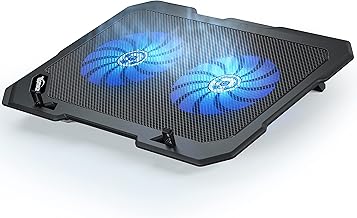
TopMate C302 Laptop Cooling Pad
- + Five fans with individual LED controls
- + Six height adjustment positions
- + Two USB passthrough ports
- − Fan noise is noticeable at max speed
- − Plastic build feels lightweight
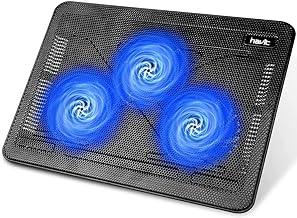
Havit HV-F2056 Laptop Cooling Pad
- + Ultra-slim profile at under 1 inch
- + Three fans run quietly at low RPM
- + Metal mesh surface improves passive cooling
- − No height adjustment
- − USB powered only — no wall adapter option
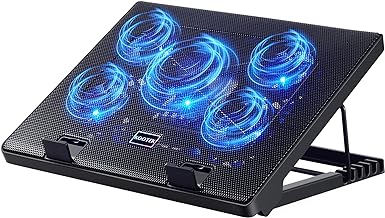
Kootek Laptop Cooling Pad for 12-17 Inch Laptops
- + Five fans with adjustable speed dial
- + Two ergonomic height settings
- + Fits laptops up to 17 inches
- − Blue LED lights cannot be turned off
- − Fan speed dial is imprecise
What We Tested
We tested five laptop cooling pads with a 16-inch MacBook Pro and a 15.6-inch Lenovo Legion, running intensive workloads including video rendering, gaming, and prolonged compilation tasks. We measured surface temperatures with an infrared thermometer every 15 minutes, recorded fan noise levels with a decibel meter, and evaluated comfort during eight-hour work sessions.
Cooling pads will not transform your laptop’s thermal performance, but the best ones consistently drop surface temps by 5-10 degrees Fahrenheit.
Our Top Picks
Best Overall: TopMate C302
The TopMate C302 provides the most aggressive cooling in this group. Five fans — one large center fan and four smaller corner fans — can be toggled individually, so you can target airflow where your laptop runs hottest. Six adjustable height positions let you find a comfortable typing angle, and two USB passthrough ports mean you do not lose a USB port to power the pad.
Fan noise at maximum speed is audible, but lower fan settings keep things quiet for office environments. For the combination of cooling performance and adjustability, the C302 is the best all-around option.
Best Value: Havit HV-F2056
The Havit HV-F2056 is the thinnest cooling pad in this group at under one inch, which makes it easy to toss in a bag. Three fans run at a fixed low speed that is barely audible, and the metal mesh surface provides passive cooling even before the fans spin up. It does the job without any complexity.
There is no height adjustment, so you are locked into whatever angle the pad provides. But for a simple, quiet, portable cooling solution at under $28, the Havit is hard to beat.
Best for Large Laptops: Kootek Laptop Cooling Pad
The Kootek pad is sized for 17-inch laptops and delivers targeted cooling with five fans and an adjustable speed dial. Two ergonomic height settings tilt the laptop for better airflow and a more comfortable typing angle. The pad is wide and sturdy enough to hold larger gaming laptops without wobbling.
The always-on blue LED lights are a design choice that not everyone will appreciate, and the speed dial lacks fine control. But for cooling large, hot-running laptops, the Kootek handles the job reliably.
Bottom Line
The TopMate C302 offers the most cooling power and adjustability for most laptops. The Havit HV-F2056 is the pick for portability and quiet operation. And the Kootek pad is the right choice for large gaming or workstation laptops that need extra airflow. At under $30 each, any of these pads is a worthwhile investment to protect your laptop from thermal throttling.
Deal Alerts
Never miss a price drop
Join our free Telegram channel for instant deal alerts on Kitchen, Home, Tech & Pets products.
Join Telegram Channel →Related Articles
 Tech 5 min read
Best Action Cameras (2026)
We tested the top action cameras for video quality, stabilization, and durability. These three deliver the best footage in any conditions.
 Tech 5 min read
Best Bluetooth Speakers (2026)
We listened to 10 portable Bluetooth speakers for weeks. These three deliver the best sound, battery life, and build quality.
 Tech 4 min read
Best Cable Management Solutions (2026)
We organized messy desks with the best cable management products. These three solutions tame the tangle without breaking the bank.